
Why User Experience matters on your website.
Good design grabs attention.
Great design guides buyers.
User experience turns a good-looking website into one that sells for you.
If visitors can’t quickly find what they came for, they’ll move on, often within seconds. That’s where user experience (UX) comes in.
In this post, we’ll look at what UX means for small business websites and the simple principles that make your website not only look good but easy to use.
What is User Experience (UX)
UX helps visitors achieve what they came to your website for with ease.
It blends structure, clarity, and flow to turn a website into something powerful.
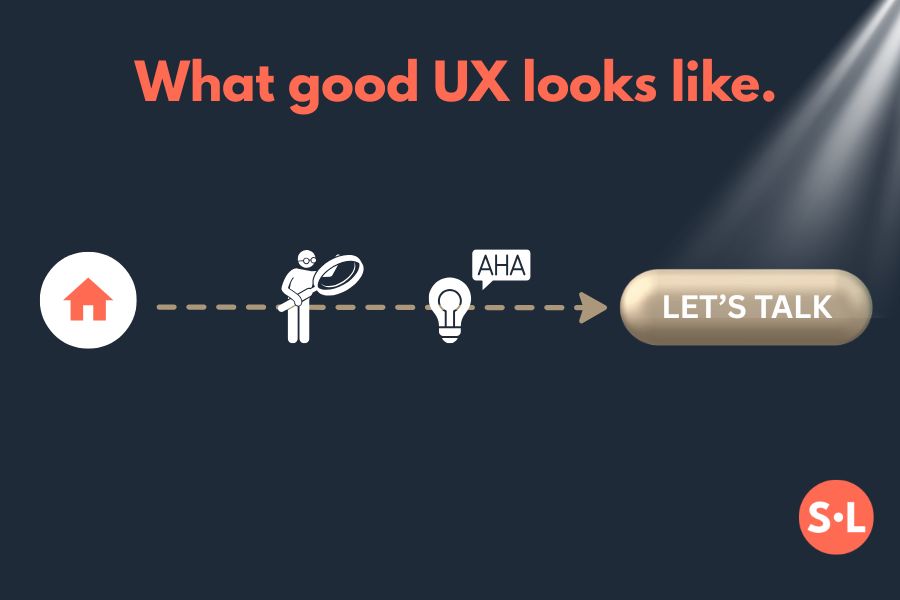
It’s not just about web design’s appearance, it’s about how people feel when they use your website. UX is the journey from curiosity to confidence, whether that’s discovering what you offer, booking a call, or making a purchase.
Why UX matters for small businesses
Your website is often the first impression people get of your business. If that experience feels confusing it can quietly undo all the work you’ve done to attract them there.
UX also affects how well your site performs in search. When your pages load quickly, work on mobile, and guide visitors naturally to what they need, both users and search engines take notice.
Key principles of good User Experience
1. Clarity before creativity
Visitors should instantly understand who you are and what you offer. Keep headings clear and straightforward. Simplicity builds trust faster than style alone.
2. Simple navigation
Menus should be concise and intuitive. Keep essential pages visible (Home, About, Services, Contact) and use short, descriptive labels. The fewer clicks it takes to reach something, the better.
3. Speed and mobile friendliness
People leave slow sites fast. Optimise images and make sure your layout adapts seamlessly to smaller screens.
4. Readable, accessible design
Use generous spacing, legible fonts, and strong colour contrast. Make buttons easy to tap on mobile, and add alt text to images for accessibility.
5. Visual hierarchy and clear calls to action
Guide visitors through each page: headline first, supporting text next, and a clear next step. Use consistent button styles and specific CTAs such as “Book a call” or “Let’s talk websites”.
How to tell if your UX is working
- Can people find key information within a few clicks?
- Are you receiving enquiries saying “I couldn’t find …”?
- Do most visitors explore more than one page?
- Check your analytics for pages with high exit rates.
If you’re unsure how user-friendly your site feels, ask someone outside your business to test it. As business owners, we’re often too close to spot where people might get lost.
Final thoughts on UX
Good UX makes a website easy to use, trustworthy, and enjoyable. It helps search engines understand your content but more importantly, it helps people connect with your business.
If your current site isn’t converting visitors, an SEO or website audit can highlight what’s holding it back and what to improve next. And if you need a new website designing, I’d love to find out more about your business and arrange a chat to see how I can support this.
For more on this connection, read How SEO and Web Design Work Together.
READY TO STEP INTO THE SPOTLIGHT?